
GraphQL API overview
The Buildkite GraphQL API provides an alternative to the REST API. It allows for more efficient retrieval of data by enabling you to fetch multiple, nested resources in a single request.
For the list of existing disparities between the GraphQL API and the REST API, see API differences.
Getting started
The quickest way to get started with the GraphQL API is to try the GraphQL console on Buildkite.
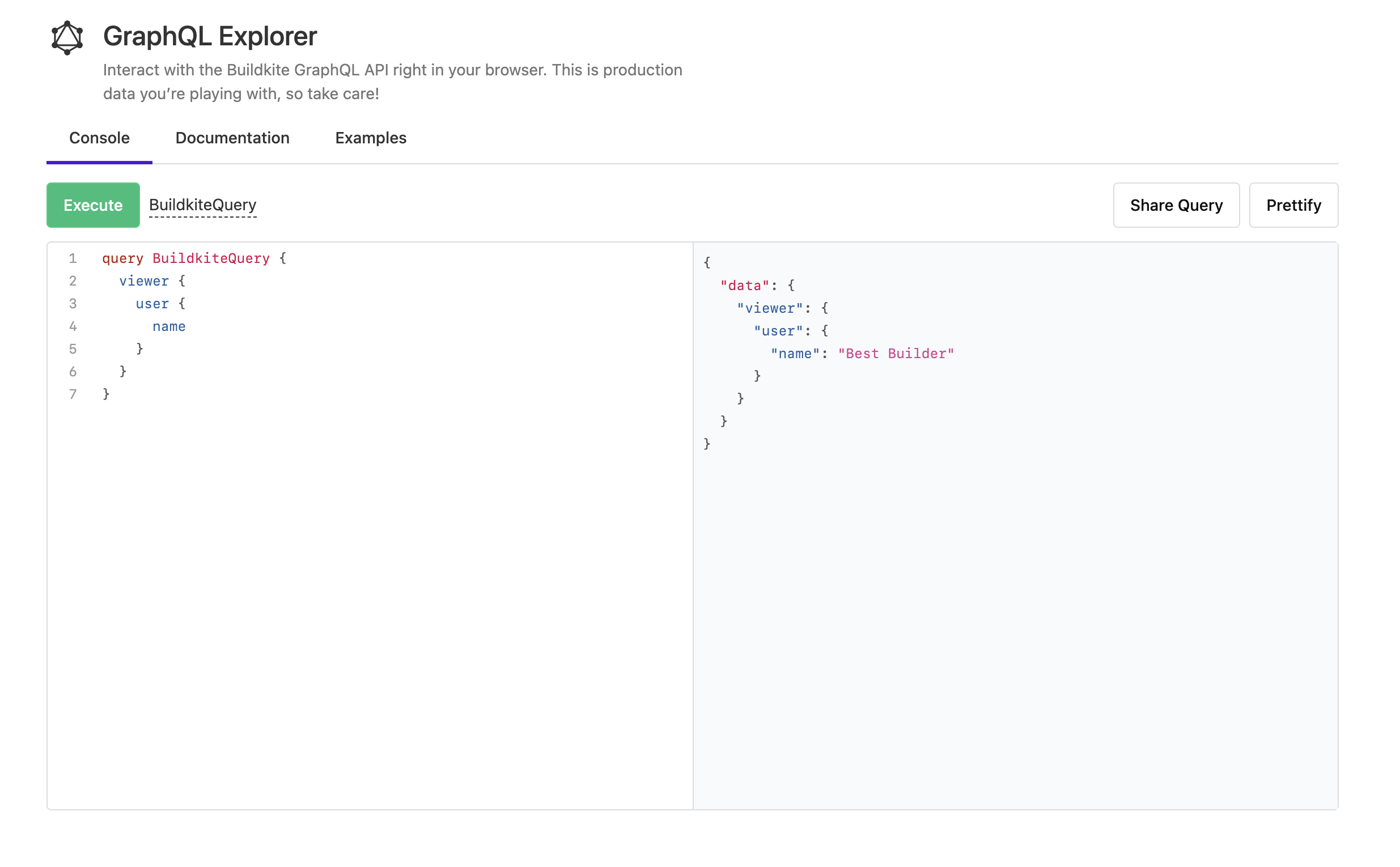
Learn more about using GraphQL queries and mutations with the GraphQL console or command line in the Using GraphQL from the console or the command line tutorial.
Note for contributors to public and open-source projects
You need to be a member of the Buildkite organization to be able to generate and use an API token for it.
Endpoint
The GraphQL API endpoint is https://graphql.buildkite.com/v1. All requests must be HTTP POST requests with application/json encoded bodies.
Authentication
GraphQL requests must be authenticated using an API access token with the Enable GraphQL API Access permission selected. Pass the token in your GraphQL request using the Authorization HTTP header with a value Bearer <token>.
For example:
curl -H "Authorization: Bearer $TOKEN" https://graphql.buildkite.com/v1
Since the scopes of these API access tokens cannot be restricted, Buildkite organization administrators can implement portals, which instead provide restricted GraphQL API access to the Buildkite platform.
Performing requests with curl
A GraphQL request is a standard HTTPS POST request, with a JSON-encoded body containing a "query" key, and optionally a "variables" key.
For example, the following curl command returns the name property of the current viewer:
curl https://graphql.buildkite.com/v1 \
  -H "Authorization: Bearer $TOKEN" \
  -H "Content-Type: application/json" \
  -d '{
    "query": "{ viewer { user { name } } }",
    "variables": "{ }"
  }'
{
  "data": {
    "viewer": {
      "user": {
        "name": "Jane Doe"
      }
    }
  }
}
For documentation on the full list of fields and types, refer to the Documentation tab of the GraphQL console.
GraphQL IDs
All node types have an id property, which is a global identifier for the node. You can find the GraphQL ID for any node by querying for the id property, for example:
query {
  organization(slug: "my-org") {
    id
  }
}
{
  "data": {
    "organization": {
      "id": "T3JnYW5pemF0aW9uLS0tYTk4OTYxYjctYWRjMS00MWFhLTg3MjYtY2ZiMmM0NmU0MmUw"
    }
  }
}
A GraphQL ID can be used with the global node query to quickly return properties of a node, without having to query through nested layers of data. To return specific properties of the object, you'll need to specify the object's type using an Inline Fragment.
For example, the following query uses an organization's id to find the total number of pipelines in the organization:
query {
  node(id: "T3JnYW5pemF0aW9uLS0tYTk4OTYxYjctYWRjMS00MWFhLTg3MjYtY2ZiMmM0NmU0MmUw") {
    ... on Organization {
      pipelines {
        count
      }
    }
  }
}
{
  "data": {
    "node": {
      "pipelines": {
        "count": 42
      }
    }
  }
}
Relay compatibility
The Buildkite GraphQL API adheres to the Relay specification, which defines standards for querying paginated collections ("Connections" and "Edges") and for identifying objects directly from the root of a query (avoiding long nested queries).
Pagination
Collections of objects in the GraphQL API, such as an organization's pipelines, are returned as connections, which use cursor-based pagination as defined in the Relay specification. To page through a connection:
- Use the
firstargument to set the number of results to return. - Request the
pageInfoobject, along with itsendCursorandhasNextPagefields. - If
hasNextPageistrue, pass the value ofendCursorto the connection'safterargument in your next query to return the next page of results. - Repeat this process until
hasNextPageisfalse.
For example, the following query returns the first 500 pipelines in an organization, along with the pagination details:
query GetFirst500Pipelines {
  organization(slug: "organization-slug") {
    pipelines(first: 500) {
      pageInfo {
        endCursor
        hasNextPage
      }
      edges {
        node {
          name
          slug
        }
      }
    }
  }
}
If the response's hasNextPage value is true, the following query uses the value of organization.pipelines.pageInfo.endCursor from the previous response to return the next 500 pipelines:
query GetNext500Pipelines {
  organization(slug: "organization-slug") {
    pipelines(first: 500, after: "value-from-organization.pipelines.pageInfo.endCursor") {
      pageInfo {
        endCursor
        hasNextPage
      }
      edges {
        node {
          name
          slug
        }
      }
    }
  }
}
Requesting smaller pages of results helps keep your queries within the GraphQL API's resource limits.
GraphQL schema
If you need the GraphQL schema, you can get it from the API using GraphQL introspection, by running the following query against the API:
query IntrospectionQuery {
    __schema {
      queryType { name description kind}
      mutationType { name description kind }
      subscriptionType { name description kind }
      types {
        name
        kind
        description
        ...FullType
      }
      directives {
        name
        description
        locations
        args {
          ...InputValue
        }
      }
    }
  }

  fragment FullType on __Type {
    fields(includeDeprecated: true) {
      name
      description
      args {
        ...InputValue
      }
      type {
        ...TypeRef
      }
      isDeprecated
      deprecationReason
    }
    inputFields {
      ...InputValue
    }
    interfaces {
      ...TypeRef
    }
    enumValues(includeDeprecated: true) {
      name
      description
      isDeprecated
      deprecationReason
    }
    possibleTypes {
      ...TypeRef
    }
  }

  fragment InputValue on __InputValue {
    name
    description
    type { ...TypeRef }
    defaultValue
  }

  fragment TypeRef on __Type {
    kind
    name
    description
    ofType {
      kind
      name
      description
      ofType {
        kind
        name
        description
        ofType {
          kind
          name
          description
          ofType {
            kind
            name
            description
            ofType {
              kind
              name
              description
              ofType {
                kind
                name
                description
                ofType {
                  kind
                  name
                  description
                }
              }
            }
          }
        }
      }
    }
  }
Learning more about GraphQL
Further resources for learning more about GraphQL:
- The GraphQL API cookbook page full of common queries and mutations.
- The Portals page, where you can learn more about how to provide restricted access to Buildkite's GraphQL API.
- The Portals REST API page, for managing portals programmatically.
- The Learn section of the official GraphQL website.
- The Getting started with GraphQL queries and mutations blog post.